How it worksFeaturesTrack recordGuidelinesPricingBook your event →
Client · IIT Bhilai

MERAZ 7.0

MERAZ is the annual cultural fest of IIT Bhilai. For the 3-day edition (30 Oct – 1 Nov 2026), we built and ran the entire pass system: store, payments, passes, promoters, gates and food coupons. Below is every screen, as the buyers, volunteers and fest team saw it.

0passes sold
0paid orders
0entries scanned over 3 days
₹0collected through ArdoPay

Figures from the organiser dashboard, November 2026.

Part 1 · The buyer

From pass store to QR in four screens.

meraz.ksverse.in
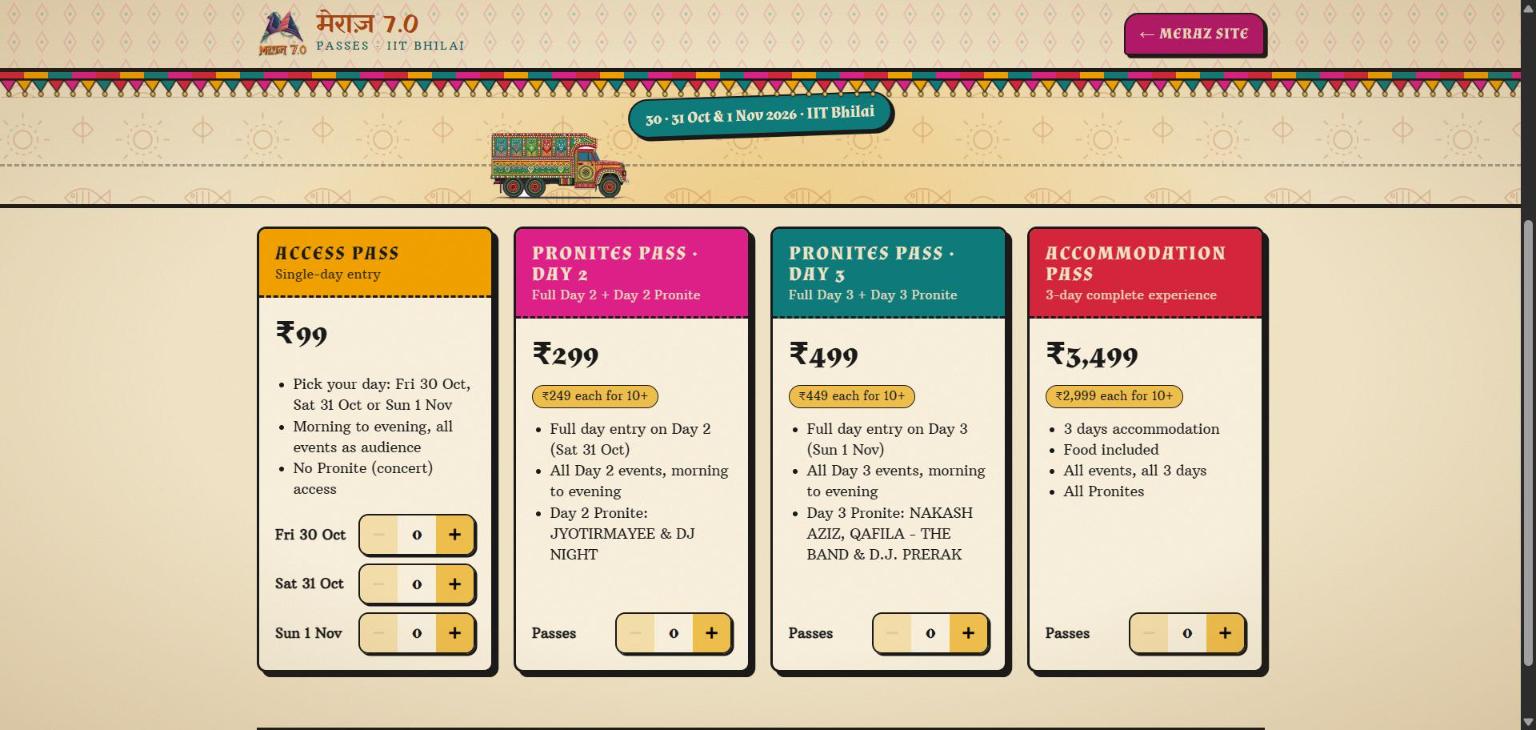
MERAZ pass store listing every pass with price
1 · StoreEvery pass with its price and what it includes. Buyers pick the day for day passes.
meraz.ksverse.in
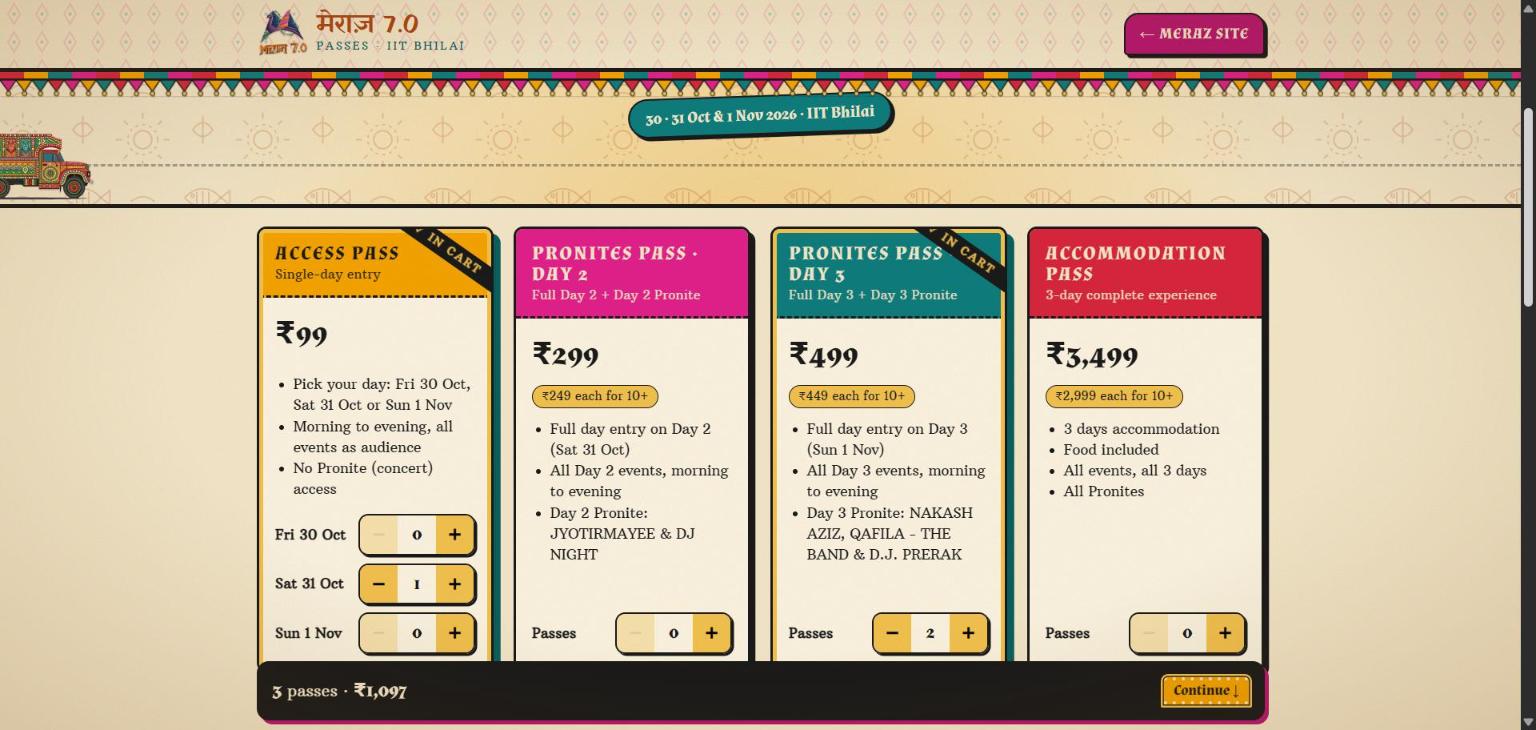
Cart with pass quantities and promo code field
2 · CartQuantities, running total, and a field for a promoter or partner code.
meraz.ksverse.in
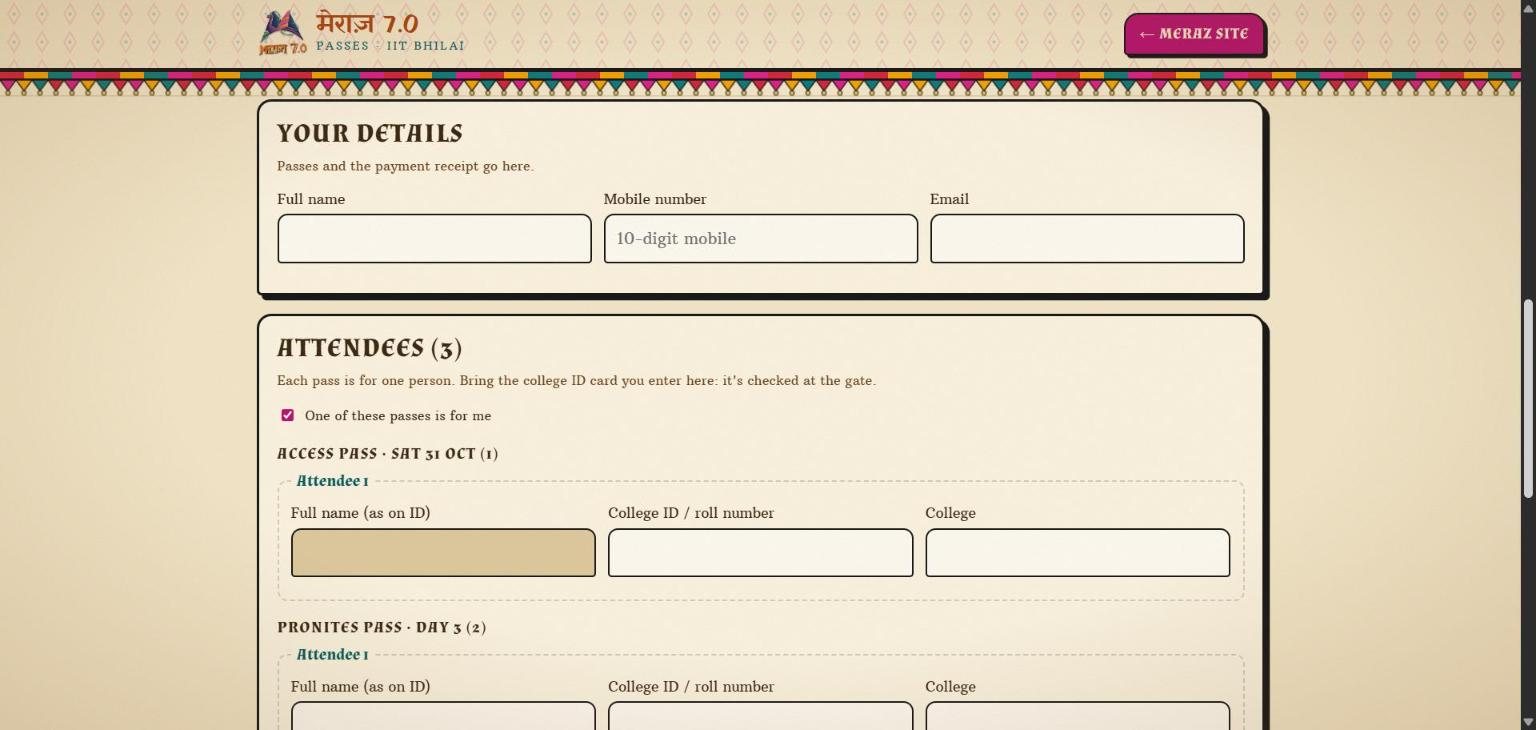
Attendee details form, one per pass
3 · AttendeesOne name and ID per pass, so the gate knows whose pass it is.
meraz.ksverse.in
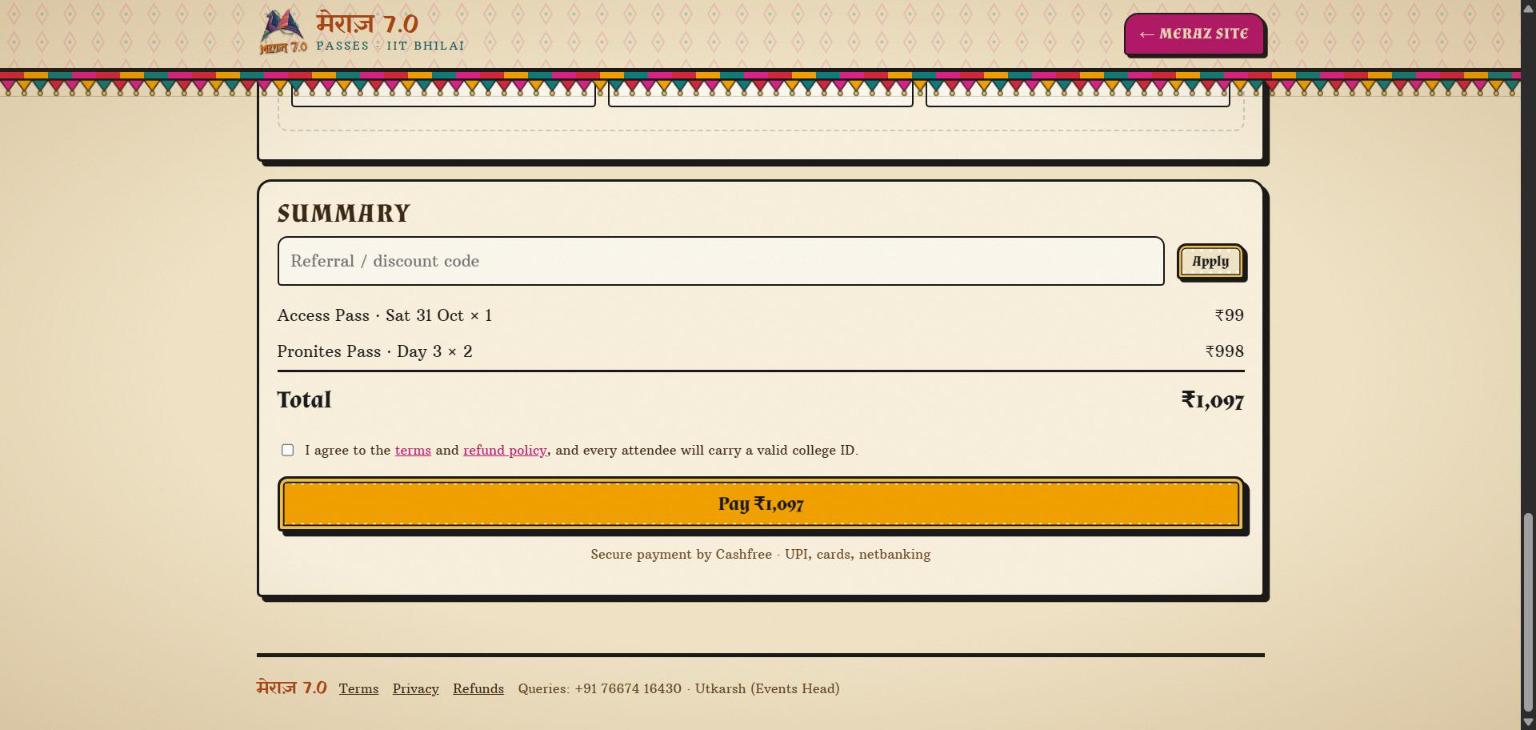
Order summary before payment
4 · SummaryFinal check, discount applied, then Cashfree for UPI, cards or netbanking.
01 · Buyer · after payment

Passes on screen the moment payment clears.

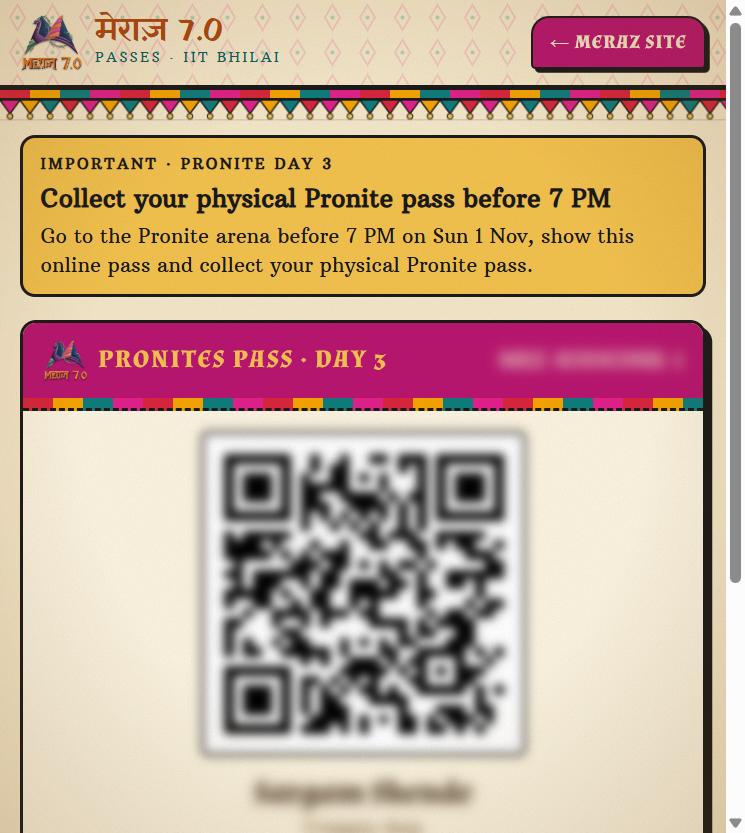
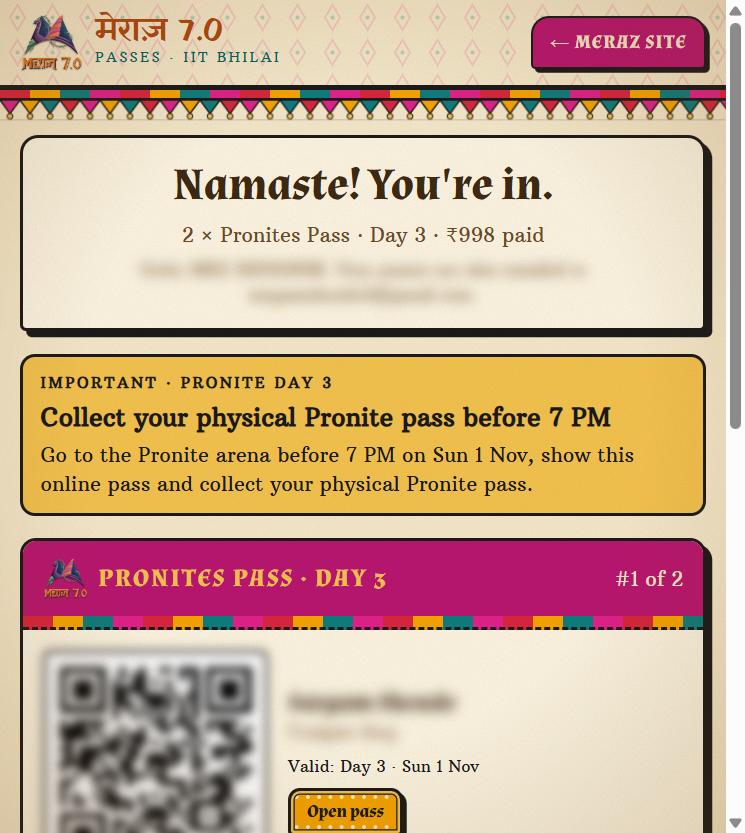
No waiting for an email, no screenshot of a UPI receipt. The order is confirmed by Cashfree's webhook, and the buyer lands on a page with every pass in the order, each with its own QR.

  • One QR per personA group order of two gets two passes, numbered “#1 of 2”, each tied to the attendee entered at checkout.
  • Event notices where they matterMERAZ used the yellow banner to tell Pronite buyers to collect a physical pass before 7 PM.
  • Reopen any timeEach pass has a private link the buyer can open again at the gate. Email is a copy, not the only delivery.
meraz.ksverse.in/done/…
Order confirmation page showing Pronites Pass Day 3 with a blurred QR
Confirmation page
meraz.ksverse.in/t/…
Single pass page with a large blurred QR code
Single pass, opened from its link
02 · Volunteers · at the gate

A scanner that runs on any volunteer's phone.

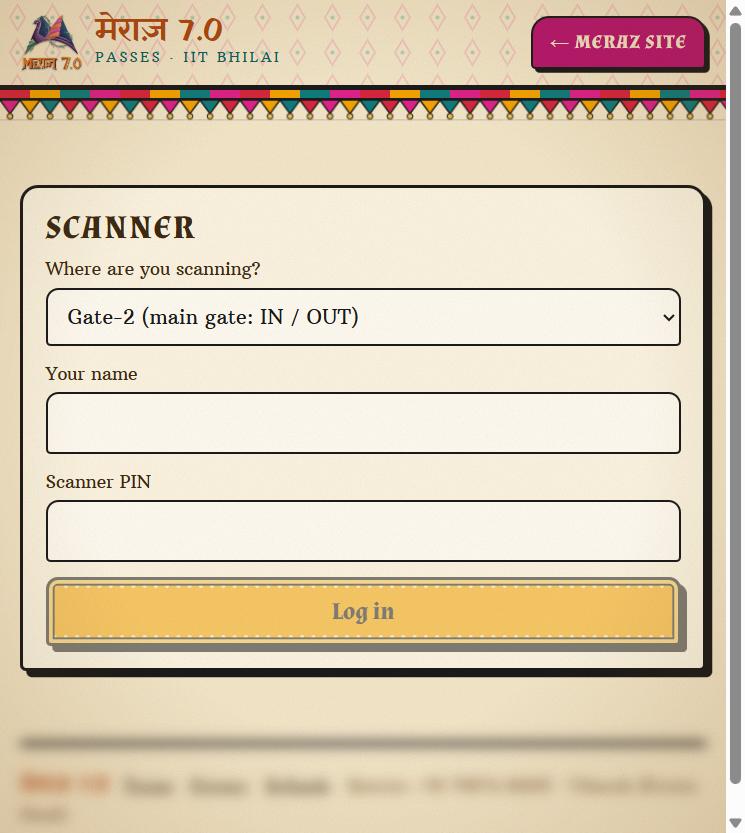
Volunteers open the scanner page, choose where they're standing, enter their name and the event PIN, and start scanning. No app to install.

  • StationsMERAZ ran a main gate that tracked IN and OUT, and a separate Pronite arena check.
  • Every scan is signedEach entry records which volunteer scanned it and at which station, so the dashboard can show who did what.
  • Bad passes stop hereWrong-day and refunded passes are rejected on the spot.
meraz.ksverse.in/scan
Scanner login with station picker, name and PIN fields
Scanner login
Part 2 · The organiser dashboard

Everything the fest team ran the event from.

03 · Dashboard · Overview

Sales, money and discounts on one screen.

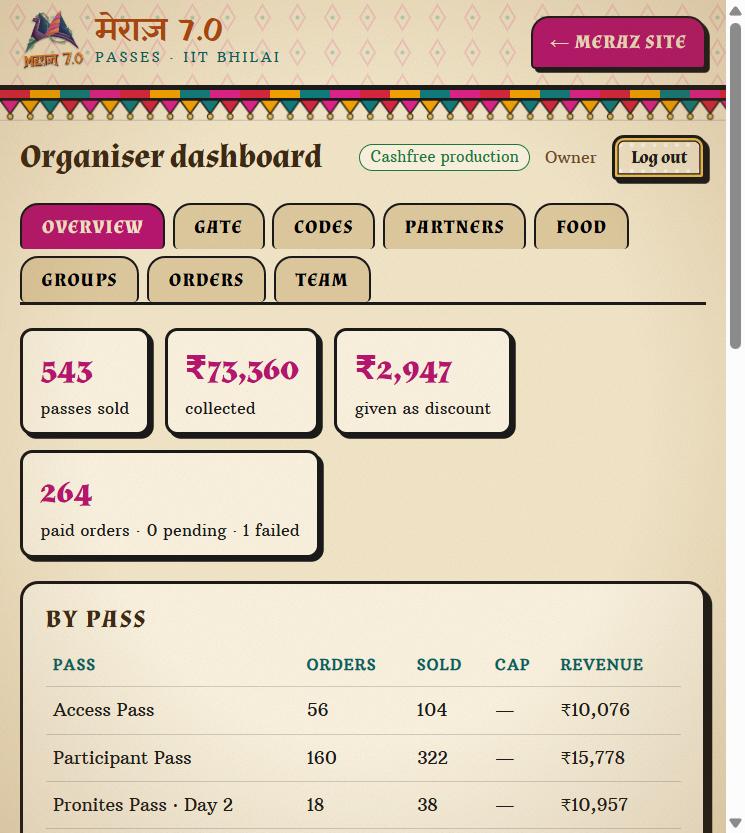
The fest team's home screen: passes sold, money collected, discount given away, and paid, pending and failed orders, followed by a breakdown of every pass type.

  • By passUnits sold and revenue per pass, so the team could see which passes were selling.
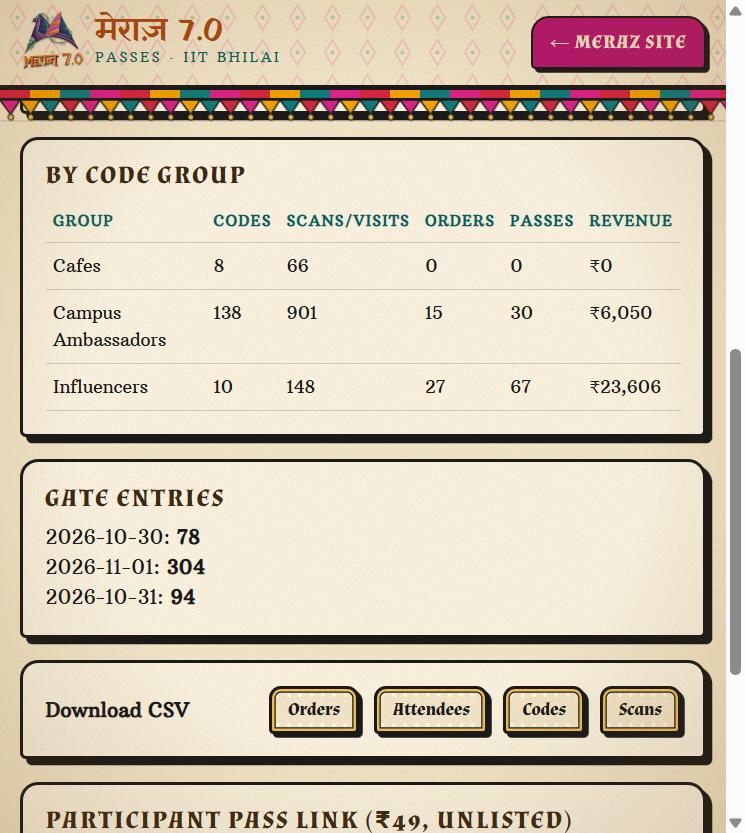
  • By code groupCafes, campus ambassadors and influencers compared side by side: codes, scans, orders, passes and revenue.
  • Gate entries per dayUnique entries for each fest day, next to the sales numbers.
  • One-click CSVsOrders, attendees, codes and scans download as spreadsheets for the accounts team.
meraz.ksverse.in/admin · Overview
Dashboard overview with passes sold, amount collected and per-pass table
Headline numbers and per-pass sales
meraz.ksverse.in/admin · Overview
Code group performance, gate entries per day and CSV download buttons
Code groups, daily entries, exports
04 · Dashboard · Gate

Know who's inside, live.

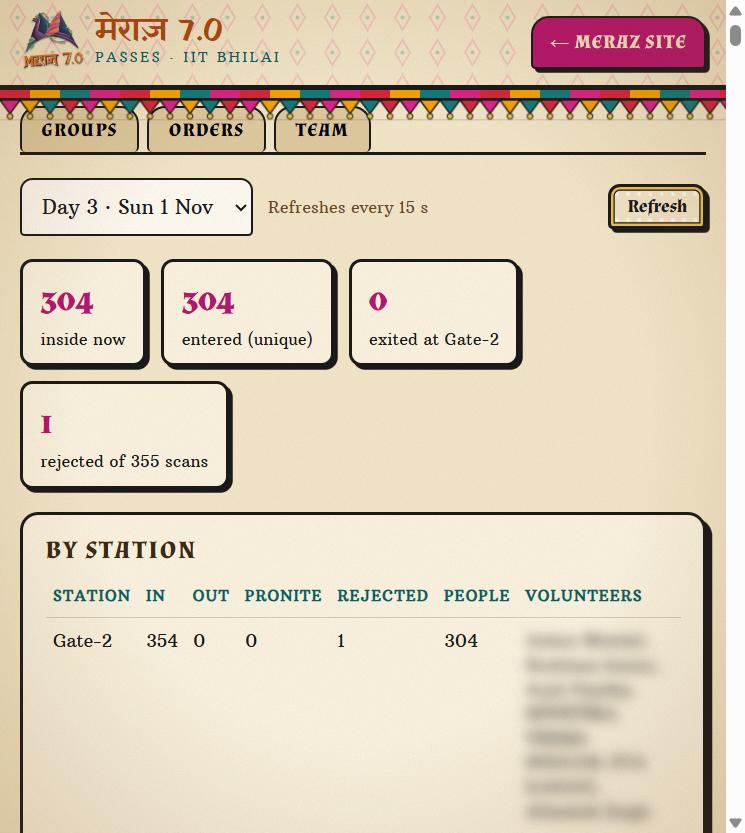
Pick a fest day and the Gate tab shows how many people are inside right now, unique entries, exits and rejected scans. It refreshes every 15 seconds.

  • By stationScans and unique people at each station, with the volunteers who scanned there.
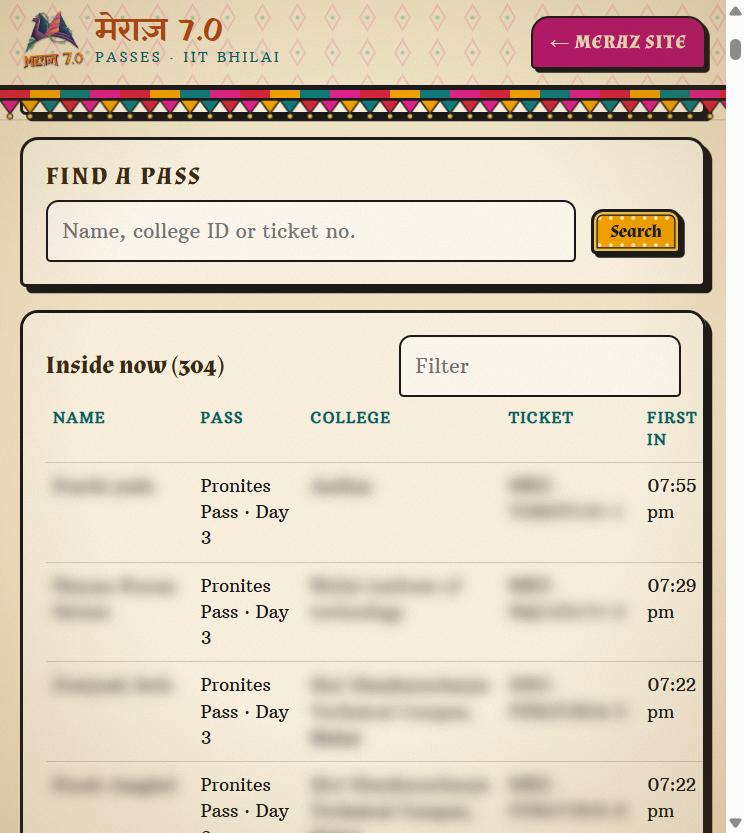
  • Find a passSearch by name, college ID or ticket number to settle a dispute at the gate in seconds.
  • Inside nowA live list of everyone currently inside: 304 people on Day 3 when this was taken.
meraz.ksverse.in/admin · Gate
Gate tab: Day 3, 304 inside now, 355 scans, by-station table
Day 3 live count
meraz.ksverse.in/admin · Gate
Pass search box and the inside-now list with names blurred
Search and inside-now list
05 · Dashboard · Codes

A discount code for every promoter.

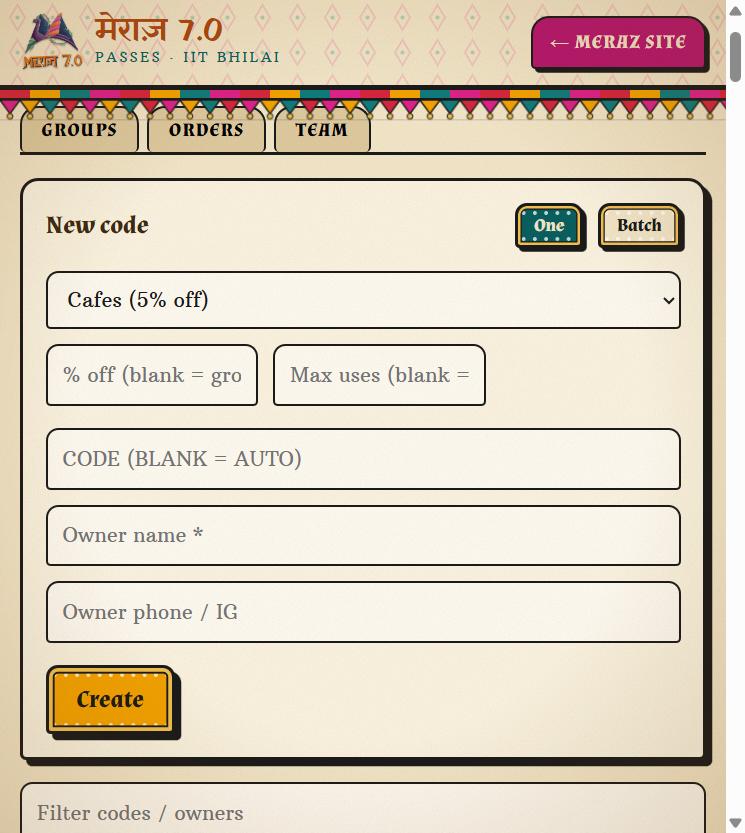
Create one code or a whole batch in a single go. Each code belongs to a group, carries that group's discount, and gets its own link and QR to share.

  • One or batchGive each campus ambassador a code with their name and contact, or generate dozens at once.
  • Max usesCap a code so a leaked link can't run forever.
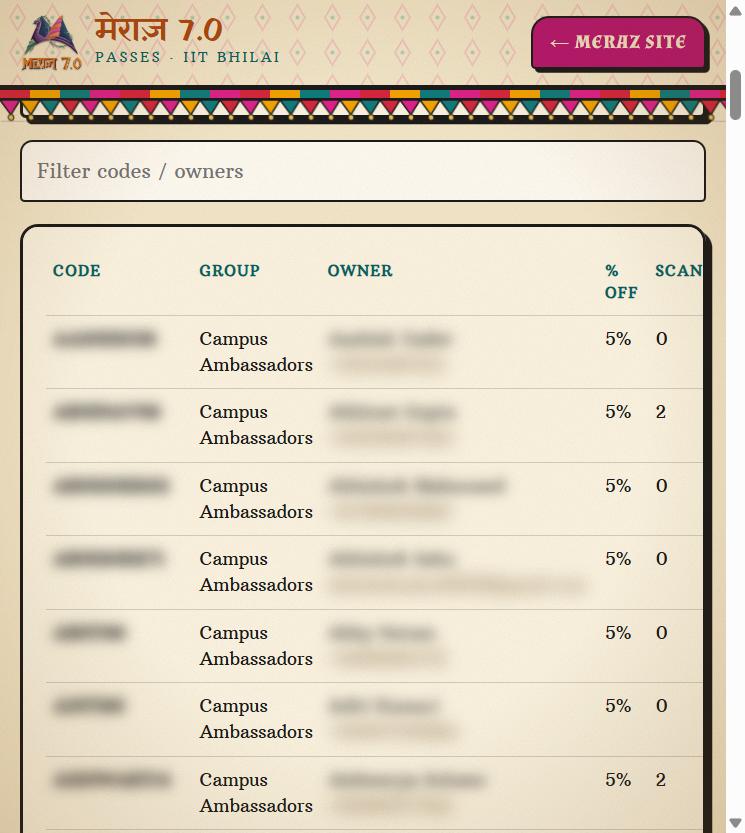
  • Tracked to the rupeeScans, orders, passes and revenue per code. Pause any code with one click.
meraz.ksverse.in/admin · Codes
New code form with group, percent off, max uses and owner fields
Create a code
meraz.ksverse.in/admin · Codes
Codes table with code and owner blurred, group, percent off and scans
Every code and its scans
06 · Dashboard · Partners

Sign-ups that get their code automatically.

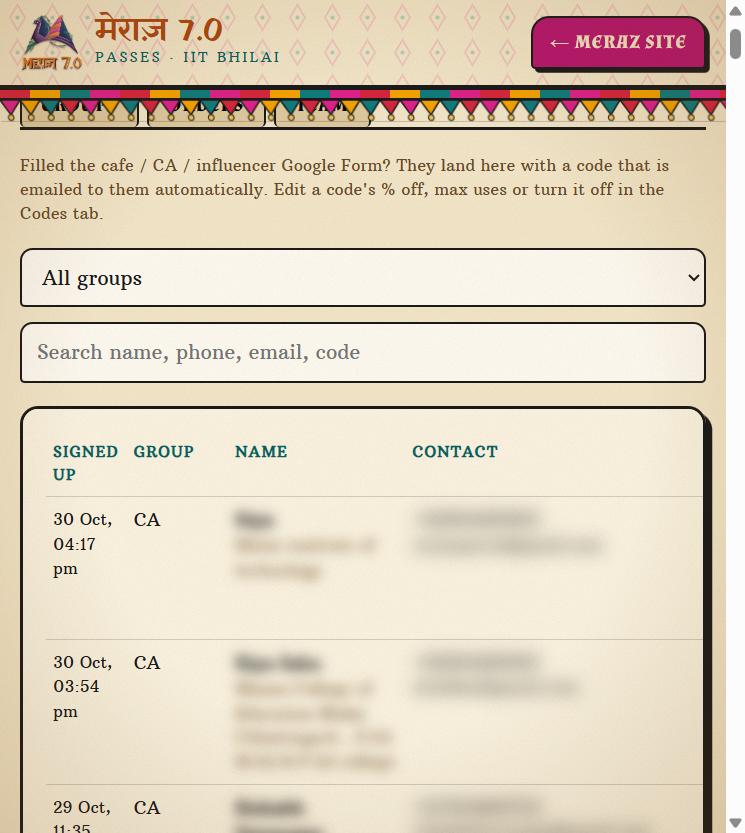
Cafes, campus ambassadors and influencers applied through a Google Form. Each sign-up lands here with a code already made, and the code is emailed to them on its own.

  • No copy-pasteThe team never typed a code into an email. The form, the code and the email are connected.
  • Filter and searchBy group, name or contact. Open the original form answers, or resend the email.
meraz.ksverse.in/admin · Partners
Partners tab explaining the form-to-code flow, with sign-ups blurred
Partner sign-ups
07 · Dashboard · Food coupons

Coupons for partner cafes.

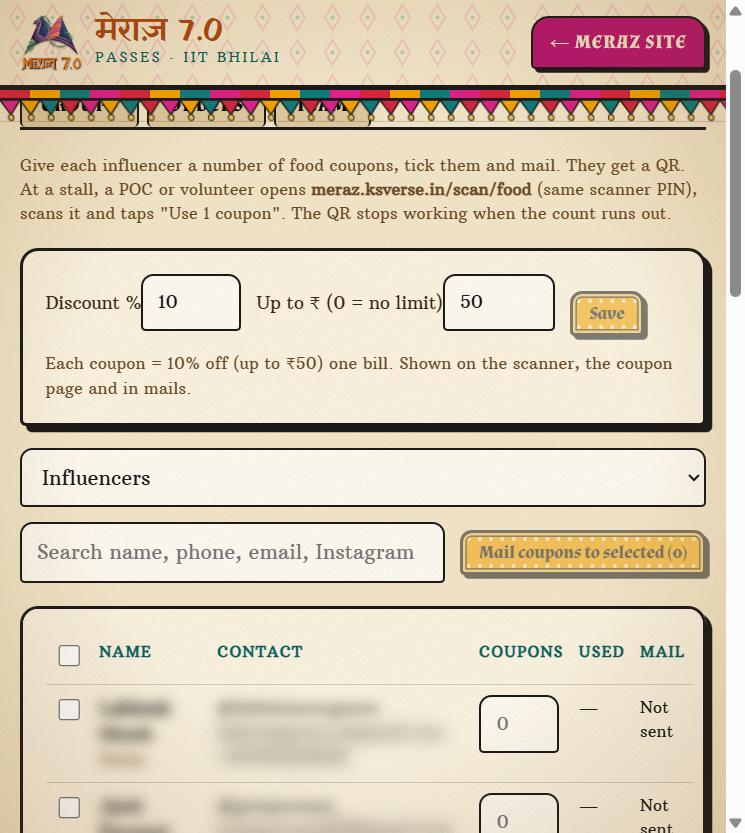
Set the coupon value (10% off one bill, up to ₹50, for MERAZ), pick who gets them, and mail them out. Each person gets one QR holding their coupons. A volunteer at the stall scans it and taps “Use 1 coupon”.

  • TargetedSend coupons to a whole group, such as influencers, or hand-pick people.
  • TrackedEvery use records the stall, the time and who scanned it, and the count left goes down.
  • Honest noteThis was built and set up for MERAZ. No coupons had been used when this screenshot was taken.
meraz.ksverse.in/admin · Food
Food coupons tab: 10% up to ₹50, group filter, mail coupons button
Food coupon setup
08 · Dashboard · Groups

One switch for a whole promoter tier.

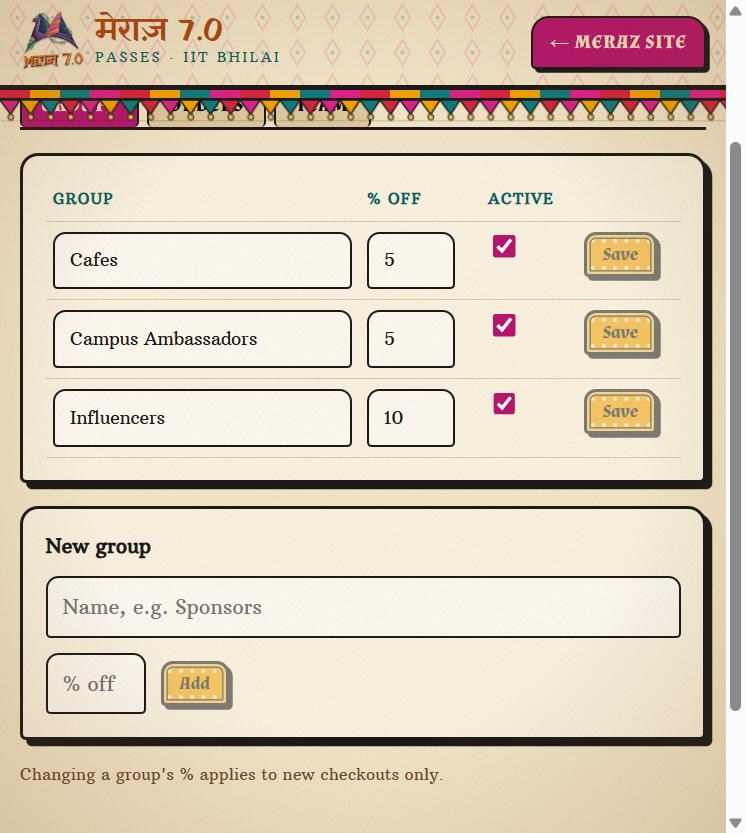
Groups set the discount for every code inside them: 5% for cafes and campus ambassadors, 10% for influencers at MERAZ. Change the rate or switch a group off without touching codes one by one.

  • Safe changesA new rate applies to new checkouts only. Orders already placed keep the price they paid.
  • Add a tier any timeNew group, new rate, ready for codes.
meraz.ksverse.in/admin · Groups
Groups tab listing Cafes, Campus Ambassadors and Influencers with their percentages
Groups and their discount
09 · Dashboard · Orders

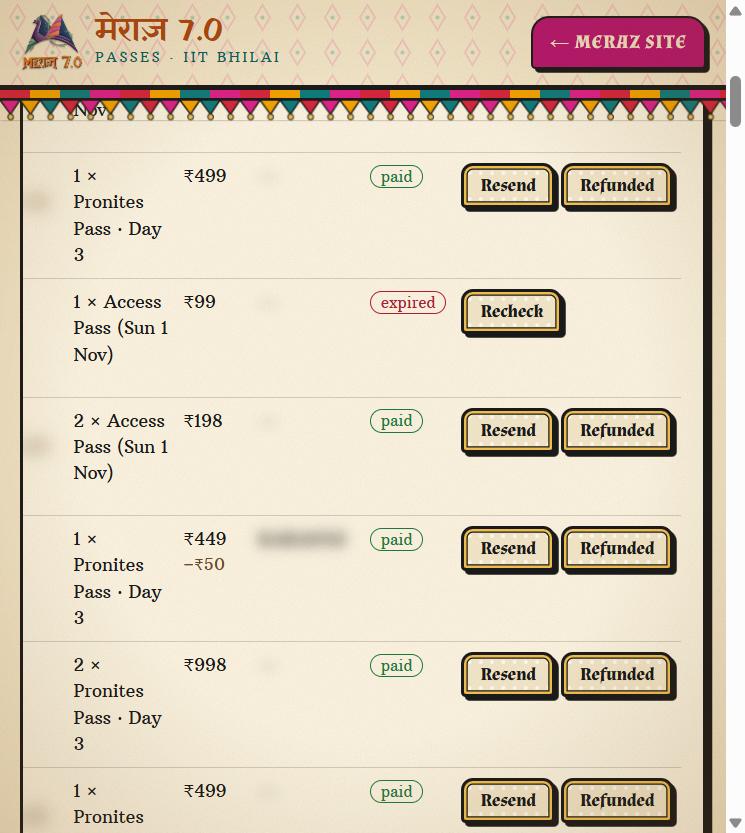
Every order, searchable, with the fixes built in.

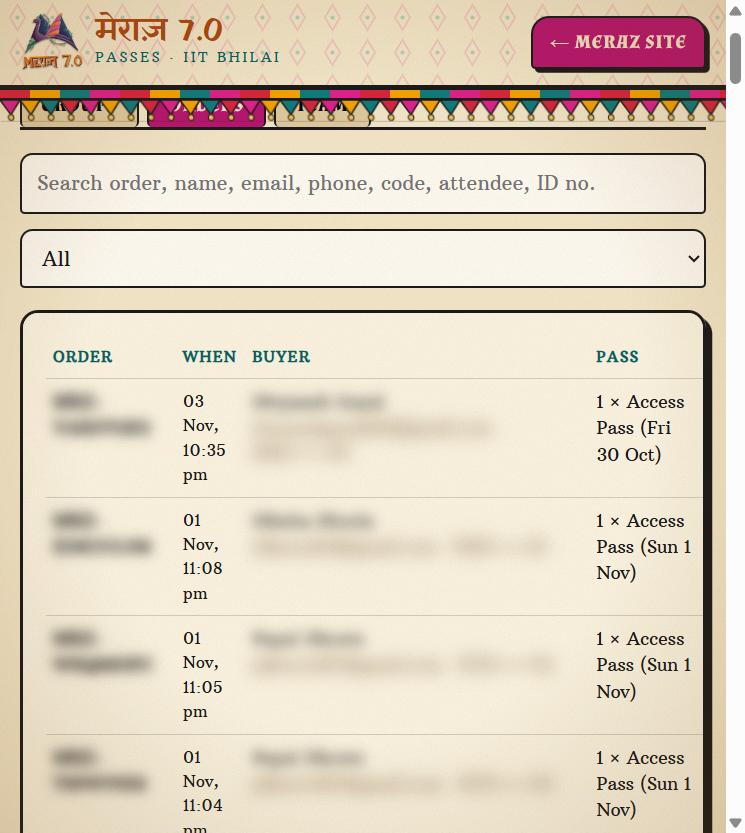
Search by order number, name, email, phone, code, attendee or ID. Each row shows the total, any discount and its status, and expands to show the passes inside.

  • ResendA buyer lost their email? Send it again from the row.
  • RecheckIf a payment status looks wrong, ask Cashfree again instead of guessing.
  • RefundedMark an order refunded and its passes stop working at the gate.
meraz.ksverse.in/admin · Orders
Orders search and table with buyer details blurred
Search across every field
meraz.ksverse.in/admin · Orders
Order totals, code discount, status pills and Resend, Refunded, Recheck buttons
Totals, status and actions
10 · Dashboard · Team

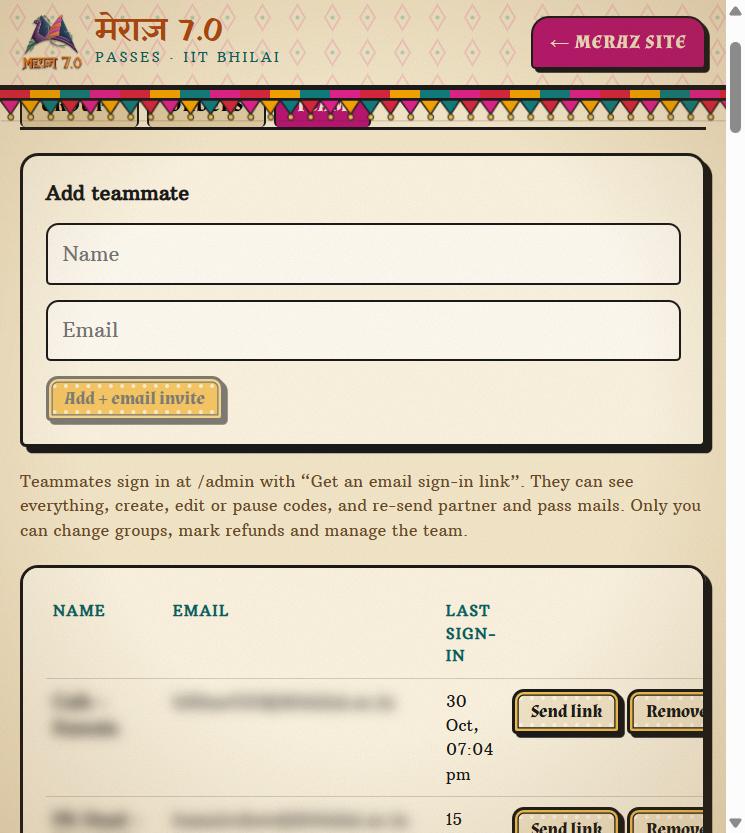
The whole fest team, one owner.

Add teammates by email and they get a sign-in link: no shared password. They can run the event day to day, while only the owner can change groups, mark refunds and manage the team.

  • Email sign-inTeammates use “Get an email sign-in link” at /admin.
  • Activity logRecent sign-ins and team changes are listed, so you know who was in.
meraz.ksverse.in/admin · Team
Team tab with add-teammate form and blurred team list
Team and permissions

NOTEReal screenshots from the live MERAZ 7.0 system, taken in November 2026. Buyer, volunteer and partner names, contacts, codes, order numbers and QR codes are blurred.

Timeline

From launch to last scan.

Before sales

Build & test

Pass lineup, pricing and policies set with the fest team. Live test payments before launch.

Sale window

Promoters go live

Campus ambassadors, cafes and influencers shared their own links and codes. The fest team watched sales on the dashboard.

30 Oct

Day 1 gates open

Volunteers logged in to the scanner on their phones. Entries checked live, one per pass per day.

31 Oct – 1 Nov

Days 2 and 3

Main gate and Pronite arena scanned against passes each day.

After

Reconcile

Orders, attendees, codes and scans exported as CSVs for the fest team's accounts.

What it means for you

Every screen above is what your event gets from day one: the store, the passes, the scanner and the dashboard.

  • Proven with a real fest crowd
  • Payments into a live, KYC-verified Cashfree account
  • Built and run by the same team
Get started

Planning a fest or event?

College fest, club night or concert: tell us the plan and we'll build your checkout.

Onboard your event →Read the guidelines